GPX Navigation Made Simple
GPX navigation should not require a complicated setup. OffTrail lets you open a GPX Track, see it on the map and start riding. Maps can be stored on your phone, so once your route is ready you can keep navigating even where mobile coverage disappears. OffTrail is free, available for iPhone and Android, supports GPX import and export, and can display up to five Tracks at the same time.
What is GPX navigation?
A GPX file is a standard file format for storing routes, Tracks and waypoints. Instead of asking a navigation app to choose the road for you, a GPX Track represents the exact path you want to follow — the one a tour organiser drew, a friend recorded, or you planned yourself. That makes GPX the natural format for adventure riding, off-road trips, organised events and anywhere normal road navigation is not enough.
Open a GPX and ride
Open a GPX file from your phone's file manager, email, browser or share menu and choose OffTrail — on iPhone, AirDrop works too. The Track appears directly on the map, and navigation follows your position with course-up tracking and off-track alerts. OffTrail keeps up to five Tracks loaded at once, each with its own colour: useful when a trip includes alternatives, multiple days or optional sections.
What you see while you ride
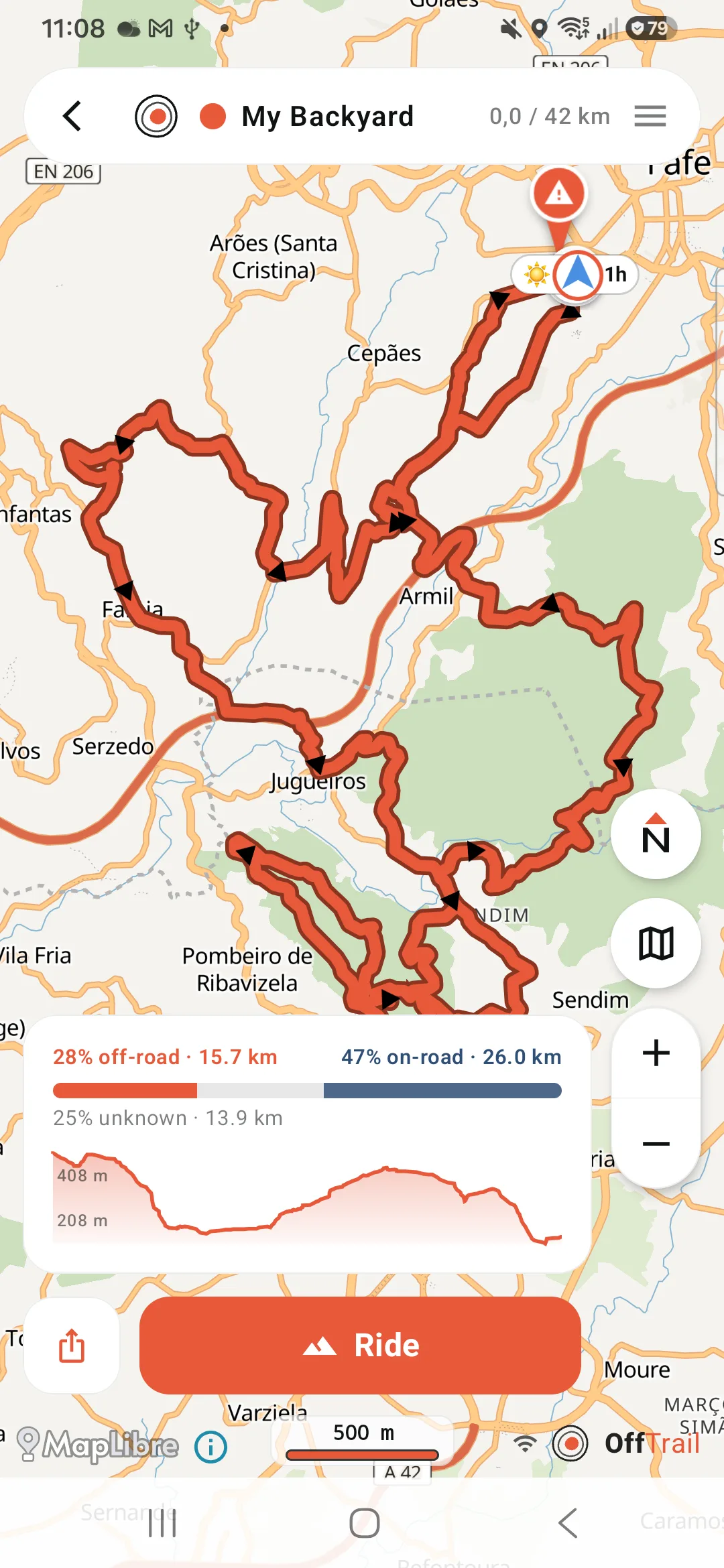
The map turns course-up, your position sits on the line, and the Track is drawn in its own colour. Off-road routes show the off-road / on-road split and the elevation profile before you commit, so you know what you are signing up for. Drift off the line and an Off Track warning gives you the distance back and a dashed connector; ride it backwards and you get a Wrong way warning. Rejoin and guidance simply continues along the rest of the original Track — OffTrail has no rerouting engine that could decide another road is faster.
It also calls the next bend — which way, how sharp, and how far — on screen and out loud, on a Track you imported as much as on a route it generated. What it doesn't say is street names: the turns come from the shape of the line, not from a road database.
GPS itself needs no mobile data — only the map has to be on the phone before coverage disappears. The full offline picture is on the offline GPX navigation page.
Import a GPX or generate a route in OffTrail
OffTrail is not limited to imported files. The app also generates routes: off-road routing for adventure motorcycles and 4x4s, on-road Road Fun and Road Fast profiles, and circular Round Trips of 50, 100, 150 or 200 km. Route calculation runs on OffTrail's routing service, so generating a route needs a network connection; once the route is on the device, following it works offline. See the Off-Road Route Generation for details.
In the car and in a group
The same GPX navigation carries over to Apple CarPlay and Android Auto, where the map and guidance appear on the vehicle display, and to Group Ride, where up to 15 riders share live positions during a session. Every ride is recorded automatically as a GPX file you can export and share. Step-by-step: navigate a GPX on iPhone or on Android.
Start with the part you actually need
You have a GPX and don't know what to do with it: open it on iPhone or on Android.
The Track is on Wikiloc: download it and import it.
You're going somewhere with no signal: what works offline, and what to prepare.
You want it on the car screen: step by step with CarPlay, or Android Auto.
You don't have a Track yet: build one on the web in the Route Planner, or let the app generate one.
You ride a specific way: adventure motorcycle · 4x4 and overlanding.
Get OffTrail free on the App Store or Google Play. No account. Load a GPX Track, generate a route and ride.
Frequently asked questions
What is GPX navigation?
Following a Track someone already drew or recorded, instead of asking an app to choose the road. The GPX file holds the exact path; the app keeps you on it and tells you when you leave it.
Can I navigate a GPX file offline?
Yes. If the GPX Track and the required offline maps are already on the device, OffTrail follows the Track without continuous mobile coverage.
Does GPX work on both iPhone and Android?
Yes. OffTrail is available for iPhone and Android and supports GPX import on both platforms.
Does OffTrail change or reroute my GPX?
No. OffTrail follows the exact geometry you imported. There is no rerouting engine that could pick a different road.
Can I export GPX files from OffTrail?
Yes. Recorded rides are stored as standard GPX files and can be shared or exported.
How many GPX Tracks can I load?
Up to five GPX Tracks can be loaded at the same time, each in its own colour.
Do I need an account?
No. An account is not required for normal OffTrail use.